Micro frontend deployment & orchestration
Ship micro frontends without rebuilding the host
MFE Orchestrator is the open-source control plane for your micro frontends. It stores every build, decides which version each environment serves, and hands your host application the runtime configuration it needs.
Versioning, canary releases and one-click rollback for Module Federation — like Kubernetes, but for the frontend.
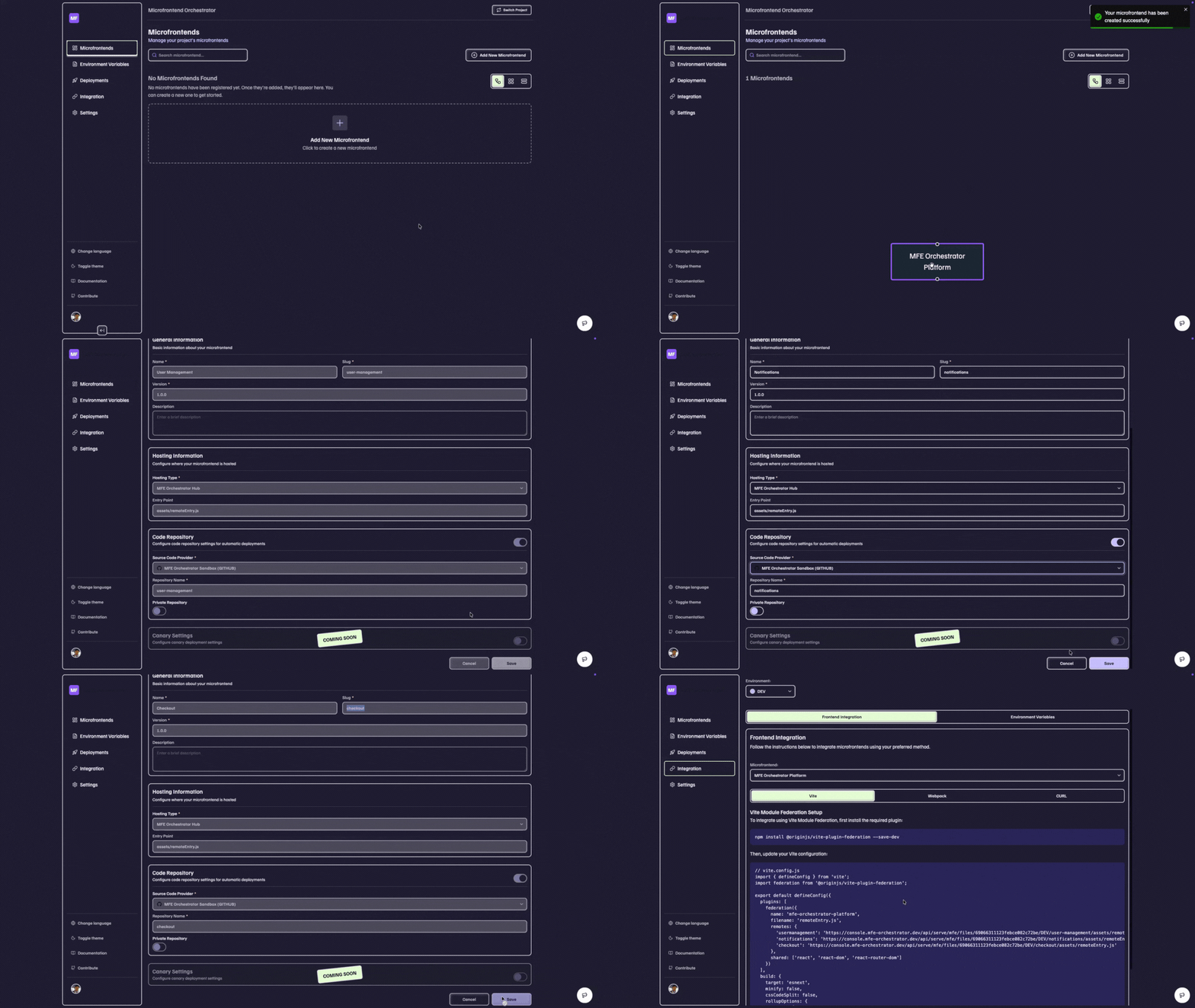
One widget changed. Why is the shell rebuilding?
Micro frontends promise independent deployment. Most setups do not deliver it, because the host application still decides at build time what to load. MFE Orchestrator moves that decision to runtime.
Micro frontends wired by hand
- The list of micro frontends and their URLs lives in the host repository
- Releasing one micro frontend means rebuilding and redeploying the shell
- Two pipelines have to succeed for one change to reach production
- A rollback is a revert, a rebuild and a wait
- Teams queue behind each other for a shared release window
- Nobody can say with certainty which version is live in UAT
With MFE Orchestrator
- Versions live in a registry, not hardcoded in the host
- Publish a micro frontend and assign it to an environment — the shell is untouched
- One pipeline per micro frontend, ending in an upload step
- A rollback is selecting the previous version
- Each team releases on its own schedule
- Every environment shows exactly which version it serves
You probably need an orchestrator if…
You run more than one frontend team
Several teams contribute to one product and keep colliding in the same release train.
You already use Module Federation
The loading mechanism works, but a remotes configuration file is maintained by hand and committed to the host.
Your releases are blocked by the shell
A one-line change in a widget still costs a full host build, and the build is slow or memory-hungry.
You need control over where artifacts live
Builds have to sit in your own S3, Azure or GCP storage — or stay on-premise entirely.
Everything a micro frontend needs after the build
Storage, versions, per-environment configuration and the runtime wiring your host application depends on — across any cloud, or none.
Micro Frontend Version Management
Every build you publish stays available and addressable. Track which version of each micro frontend is live, and change it without a rebuild.
Independent Deployment
Release one micro frontend without rebuilding or redeploying the host application, so a small change costs a small deploy.
Per-environment Configuration
DEV, UAT, PROD and any environment you invent can serve different versions at the same time, each with its own configuration.
Module Federation, Configured For You
MFE Orchestrator generates the runtime configuration your host needs under Vite or Webpack — no hand-maintained remotes file in the host repository.
Multi-cloud & On-premise Storage
Artifacts go to your own AWS S3, Azure Blob Storage or Google Cloud Storage — or stay entirely on-premise when they cannot leave your network.
One Console For The Whole Estate
See every micro frontend, environment and version in one interface, instead of reading pipeline logs to find out what is deployed.
Release often. Recover instantly.
Canary releases, pipeline integrations and one-step rollback, so shipping more often does not mean risking more.
Canary Releases
Serve a new version to a share of your users, raise it when the numbers hold, and stop the rollout by changing one setting.
CI/CD Integrations
Ready-made pipelines for GitHub Actions, GitLab CI and Azure DevOps, plus an API for everything else. The pipeline you already have gains one upload step.
Rollback In One Step
Recovering means selecting the previous version, not reverting a commit and waiting for a build. Time to recover stops depending on your pipeline.
Git Integration (In progress)
Import Git repositories and manage individual micro frontends directly from your VCS; create pipelines on your Git projects.
How MFE Orchestrator works
Four steps, and only one of them happens at release time.
Build
Each micro frontend is built in its own repository, with its own pipeline, in whatever framework the team prefers.
Publish
The pipeline uploads the artifact from GitHub Actions, GitLab CI, Azure DevOps or the API. The version is recorded and stored in your cloud or on-premise storage.
Assign
Decide which version DEV, UAT and PROD serve — immediately, or gradually with a canary release.
Load at runtime
The host reads the configuration below on startup and loads the assigned versions through Module Federation. No host rebuild — and a rollback is the same step in reverse.
What your host receives at runtime
Illustrative configuration served per environment — versions, entry points and an in-flight canary.
{
  "environment": "production",
  "microfrontends": {
    "header": {
      "version": "2.1.0",
      "entry": "https://cdn.example.com/header/2.1.0/remoteEntry.js",
      "scope": "header",
      "module": "./Header"
    },
    "dashboard": {
      "version": "1.8.3",
      "entry": "https://cdn.example.com/dashboard/1.8.3/remoteEntry.js",
      "scope": "dashboard",
      "module": "./Dashboard"
    },
    "checkout": {
      "version": "4.2.0",
      "entry": "https://cdn.example.com/checkout/4.2.0/remoteEntry.js",
      "scope": "checkout",
      "module": "./Checkout",
      "canary": {
        "version": "4.3.0-rc.1",
        "traffic": 10
      }
    }
  }
}Join the Newsletter
Stay updated with the latest features, tips, and news from MFE Orchestrator.