Microfrontends overview
The Microfrontends page is the home screen of the console and the place where you spend most of your time. It lists every microfrontend registered in the current project with its version, and — depending on the view you choose — its repository, its hosting type and its canary release.
Host and remote
A microfrontend is registered as one of two types:
| Type | Role |
|---|---|
| Host | The shell application. It boots the page, owns routing and layout, and loads remotes at runtime. |
| Remote | A microfrontend exposed to be consumed by a host. |
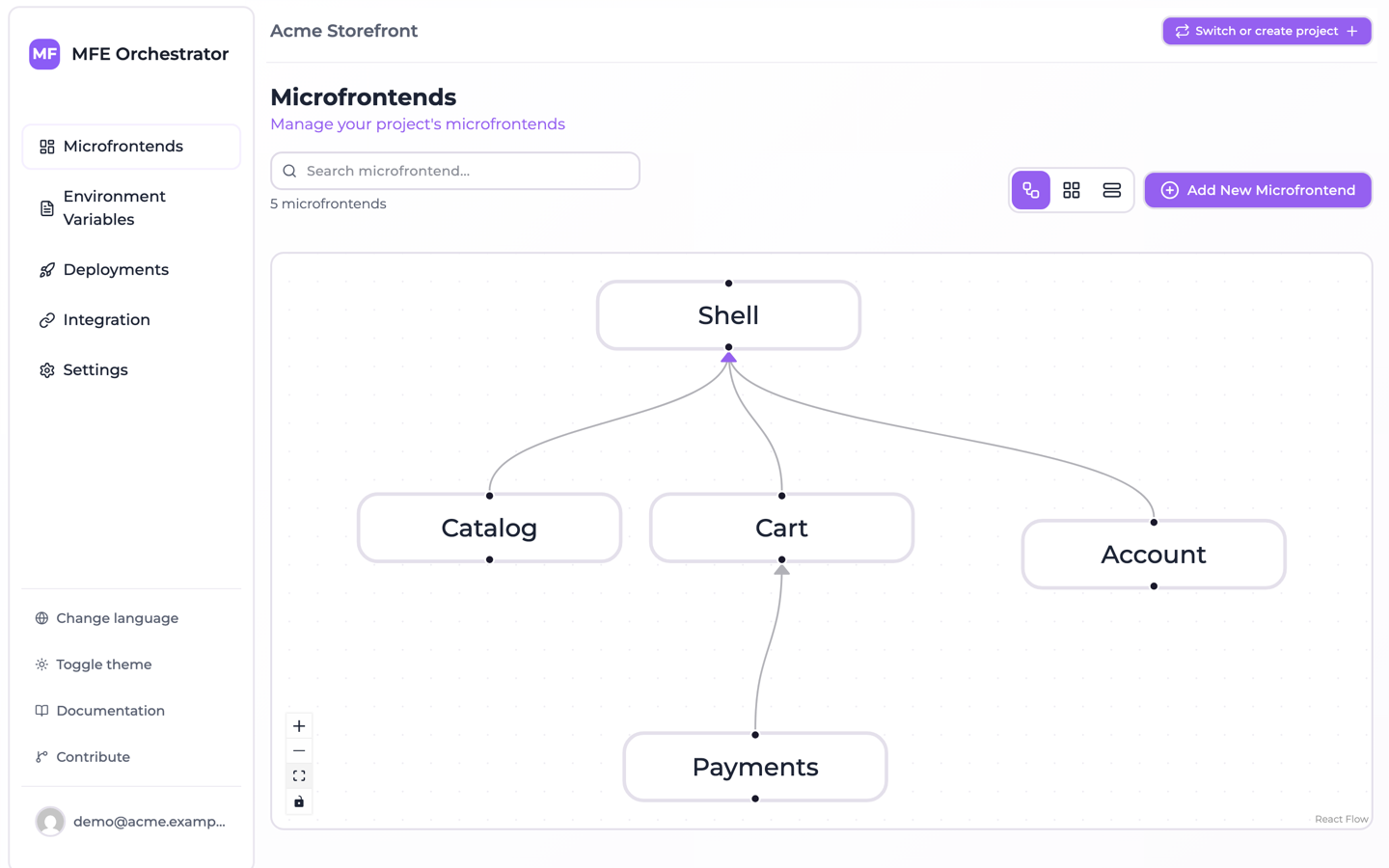
A project normally has one host per application and any number of remotes. A remote can itself be a host of other remotes — the relations form a graph, not just a two-level tree.
Relations are what make the platform useful: once you declare that checkout and catalog are
children of shell, MFE Orchestrator can generate the exact remotes configuration shell
needs, pointing at the versions that are actually deployed in each environment. See
Hosts and remotes.
Views
The dashboard offers three ways of looking at the same data, switchable from the top-right corner:
-
Diagram view — the microfrontend graph, showing which host loads which remotes. Nodes can be dragged; their position and size are saved per microfrontend.
-
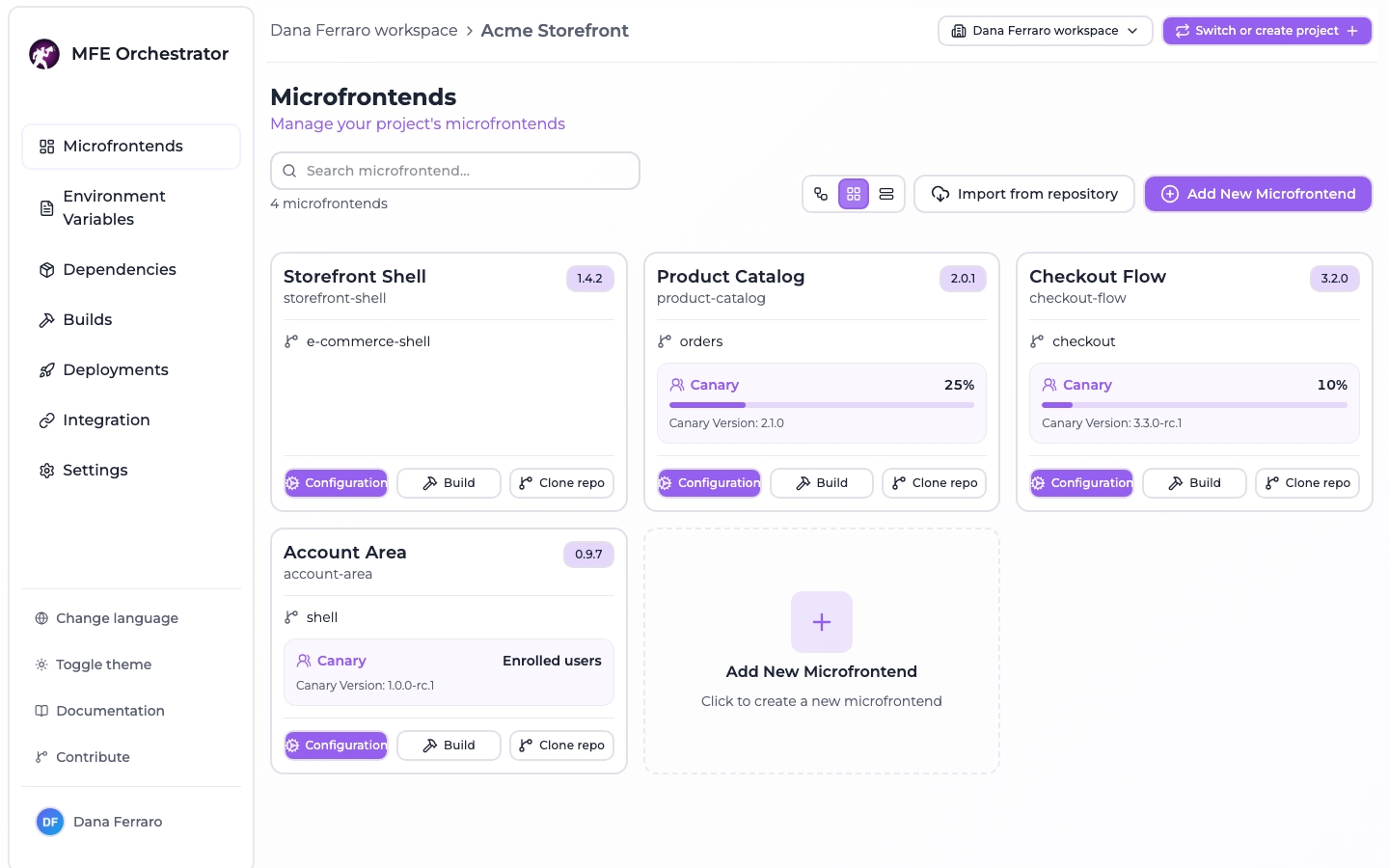
Grid view — a card per microfrontend, showing its version, its linked repository and, when one is configured, the canary: the share of traffic it takes as a bar, or Enrolled users for a User canary, and the canary version underneath.
-
Table view — a dense list, best when a project has many microfrontends.
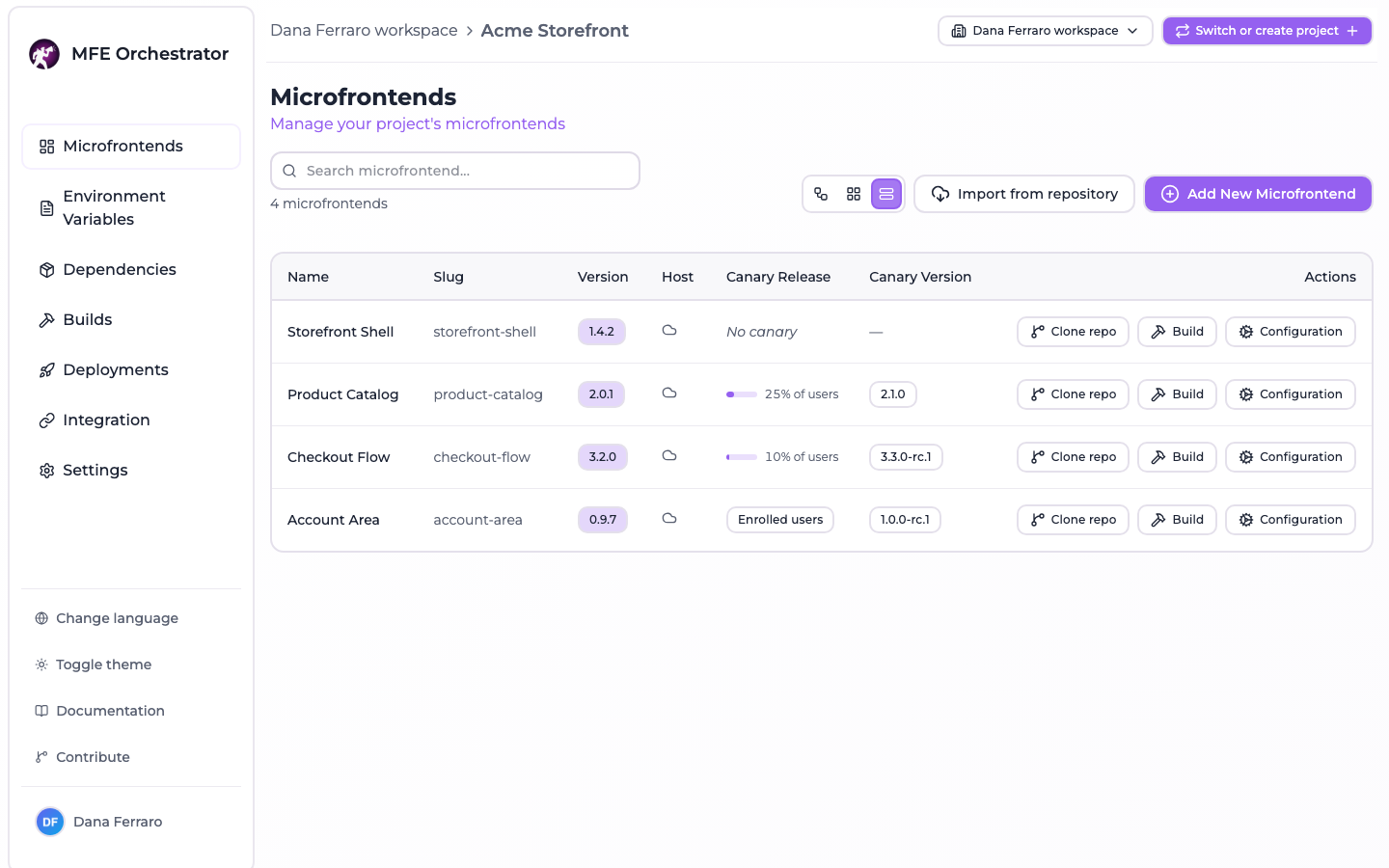
A free-text search above the views filters the list by name, and the counter next to it says how many of the total are showing.
Anatomy of a microfrontend
| Field | Notes |
|---|---|
| Name | Display name |
| Slug | Lowercase, URL-friendly, unique within the project. It appears in serve URLs and becomes the Module Federation remote name, so treat it as permanent. |
| Description | Free text |
| Version | The version currently selected for this microfrontend. Only becomes live when you deploy. |
| Continuous Deployment | A flag published to consumers on the serve API, marking this microfrontend as continuously deployed |
| Hosting type | Where the files live — see Hosting options |
| Entry Point | The file a consumer loads. Defaults to index.js; Vite Module Federation builds typically use assets/remoteEntry.js |
| Code repository | Optional link to a GitHub / GitLab / Azure DevOps repository, which enables the Build action |
| Canary | Optional progressive rollout configuration — see Canary releases |
:::caution The slug is fixed at creation The slug appears in your serve URLs and becomes the remote name in generated Module Federation configs, so the console does not let you change it afterwards — the field is read-only when you edit a microfrontend. Getting a different slug means creating a new microfrontend and re-pointing its consumers. Pick one you can live with. :::
Where to go next
- Create a microfrontend — from a template or from scratch
- Hosting options — hub, your own bucket, or an external URL
- Versions and builds — how a version gets created and uploaded
- Hosts and remotes — wiring the graph
- Canary releases — progressive rollout