The main frontend, served by its own container
Not every frontend of a project is a bundle that MFE Orchestrator serves. The main frontend of an application, the shell your users open, is often built into a Docker image and run by your own infrastructure. Register it with the Frontend kind: it then sits in the project next to the remotes it loads, with its versions and its repository, while MFE Orchestrator leaves its runtime to you.
Microfrontend or Frontend
The Kind field of the microfrontend form has two values:
| Kind | Served by | Versions come from |
|---|---|---|
| Microfrontend | MFE Orchestrator: the hub, your bucket or a custom URL | A bundle the CI uploads, or a version you type |
| Frontend | Its own Docker container, run by your infrastructure | The image version its pipeline registers |
A Frontend shows a Docker badge on its card. Everything else in this section is about the Microfrontend kind; what follows is what changes for a Frontend.
What a Frontend is
- The top of its tree. It loads remotes and nothing loads it, so it cannot have parents. The Frontend option is disabled on a microfrontend that has parents, and on one created under a parent.
- No hosting and no canary. Its container serves its files, so the Hosting tab and the canary settings are gone, and a bundle upload is refused.
- No runtime managed here. MFE Orchestrator does not deploy it, run it or expose it: your pipeline builds and pushes the image, and your infrastructure runs it.
What stays the same: its repository, the Build action, the Build status page, its AI context and Edit with AI.
The image repository
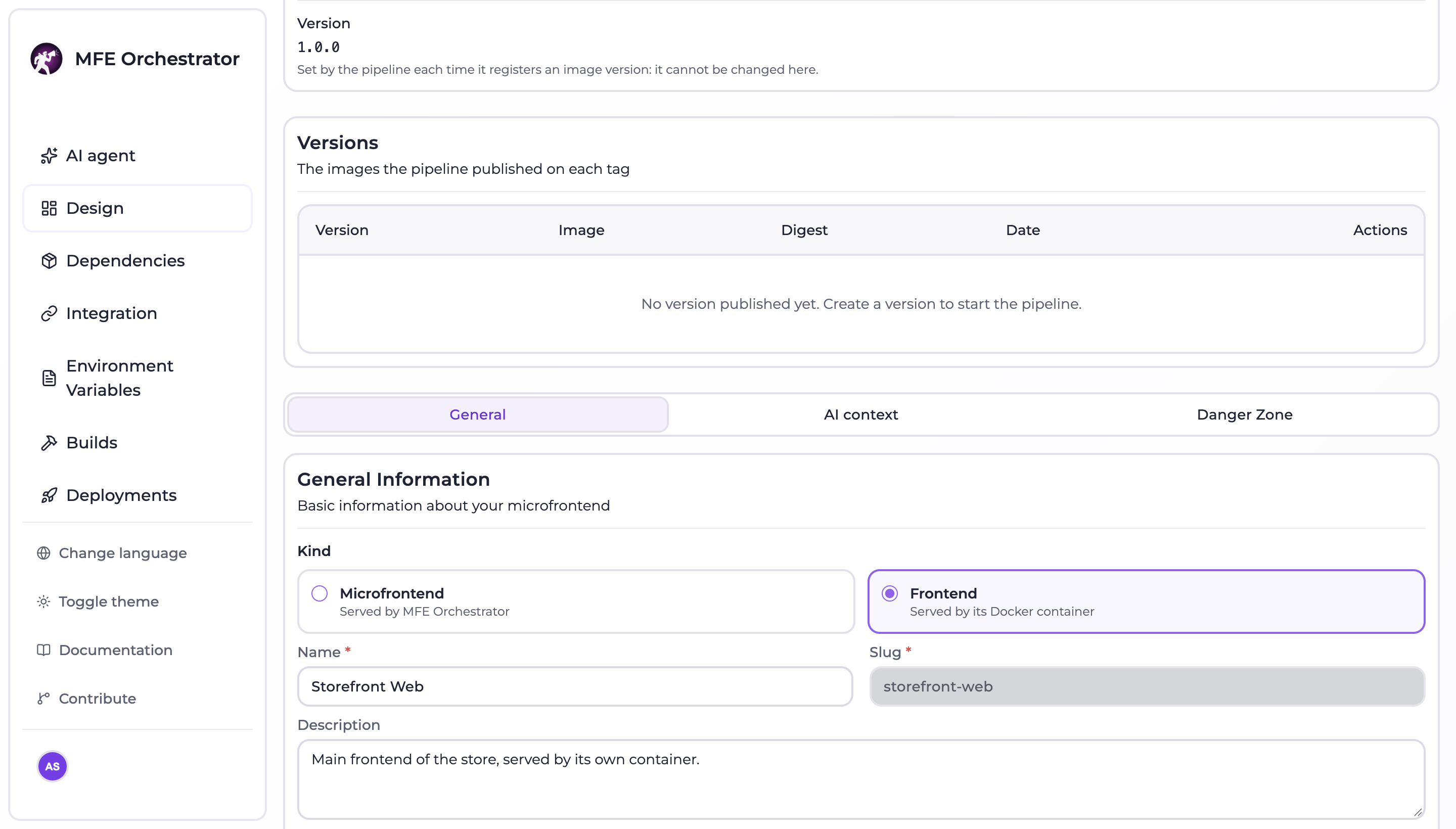
In the General tab, the optional Image repository is where its pipeline pushes the image,
without tag, for example ghcr.io/acme/shell.
Register a version
After pushing the image, the pipeline registers the version with a MANAGER API key:
curl --fail --show-error --silent -X POST \
  -H "api-key: ${MFE_ORCHESTRATOR_API_KEY}" \
  -H "Content-Type: application/json" \
  -d '{"image": "ghcr.io/acme/shell:1.4.0", "digest": "sha256:…", "commitSha": "'"${GITHUB_SHA}"'"}' \
  "https://console.mfe-orchestrator.dev/api/microfrontends/by-slug/shell/versions/1.4.0"
| Field | Required | Notes |
|---|---|---|
image | Yes | The full image reference the pipeline pushed |
digest | No | The image digest |
commitSha | No | The commit the image was built from |
- A version is registered once: a rerun of the pipeline for the same version replaces it.
- The newest version registered becomes the version of the Frontend. The Version field shows it read-only: it is set by the pipeline, never by the form.
- The edit form lists the registered versions with their image.
- Registering a version of a Microfrontend is refused: its CI uploads a bundle instead.
:::note Templates upload a bundle The pipelines of the templates upload a bundle to MFE Orchestrator, which a Frontend does not accept. When you create a Frontend from a template, change its pipeline to build the Docker image and register its version. :::
Loading the remotes
A Frontend loads its remotes like any host: declare them as its children in the diagram view and use the generated configuration or the serve API, as described in Hosts and remotes and Integration.