Environments overview
An environment is a deployment stage of your project: dev, uat, prod, or whatever your
release process calls them. Environments are where versions and configuration diverge — the same
microfrontend can be at 1.2.0 in production and 1.4.0-rc1 in UAT at the same time.
Environments live under Settings → Environments.
Creating an environment
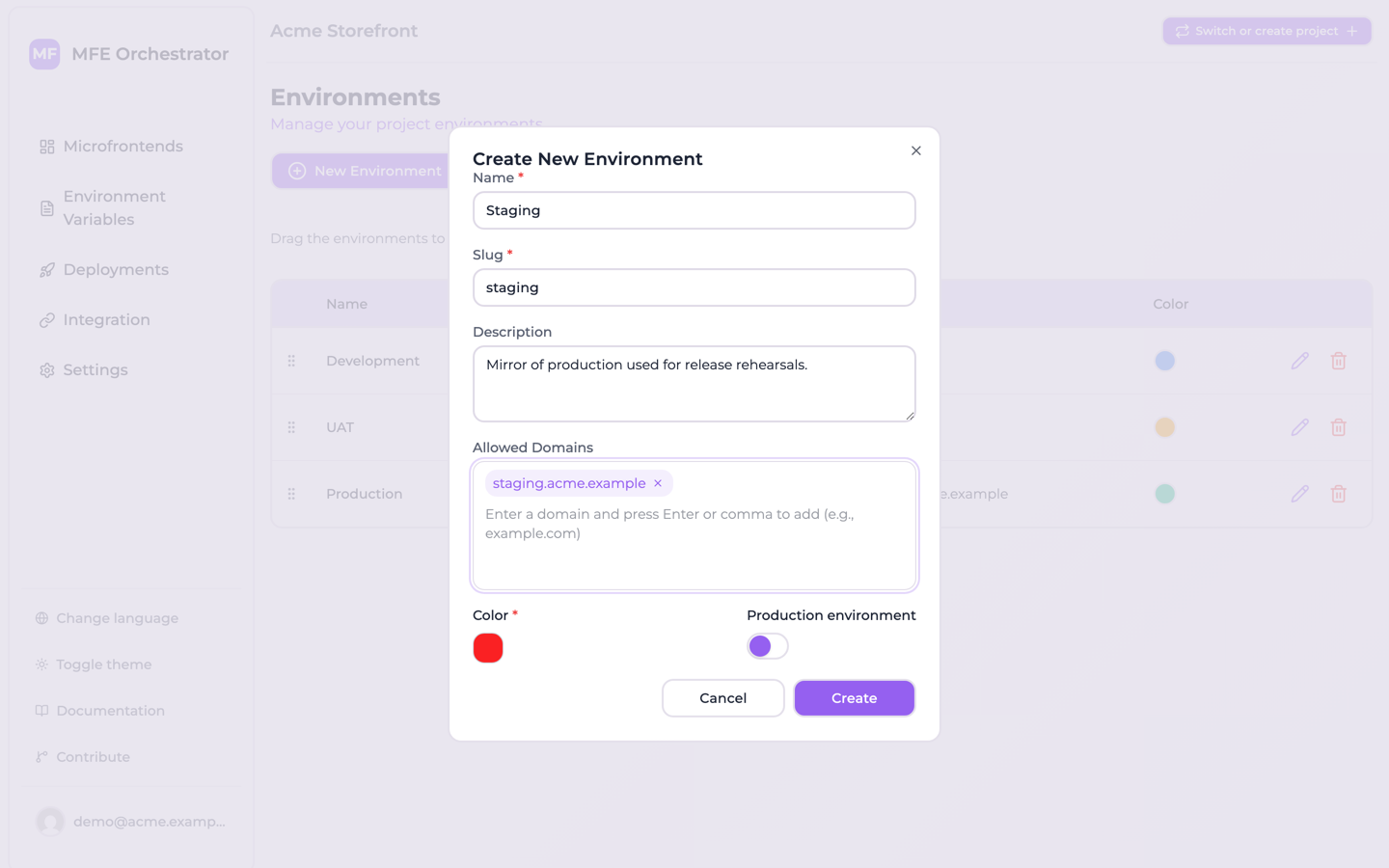
Click New Environment and fill in:
| Field | Notes |
|---|---|
| Name | Display name, e.g. Production |
| Slug | URL-friendly identifier, e.g. prod. Unique within the project, part of your public serve URLs, and read-only once the environment exists |
| Description | Free text |
| Production | Marks this as a production stage |
| Color | Used to tag the environment throughout the console |
| Allowed Domains | The domains your app is served from — see Allowed domains |
The environments of a project are listed together, with their slug, production flag, allowed domains and colour. Drag a row to change the order they appear in throughout the console:
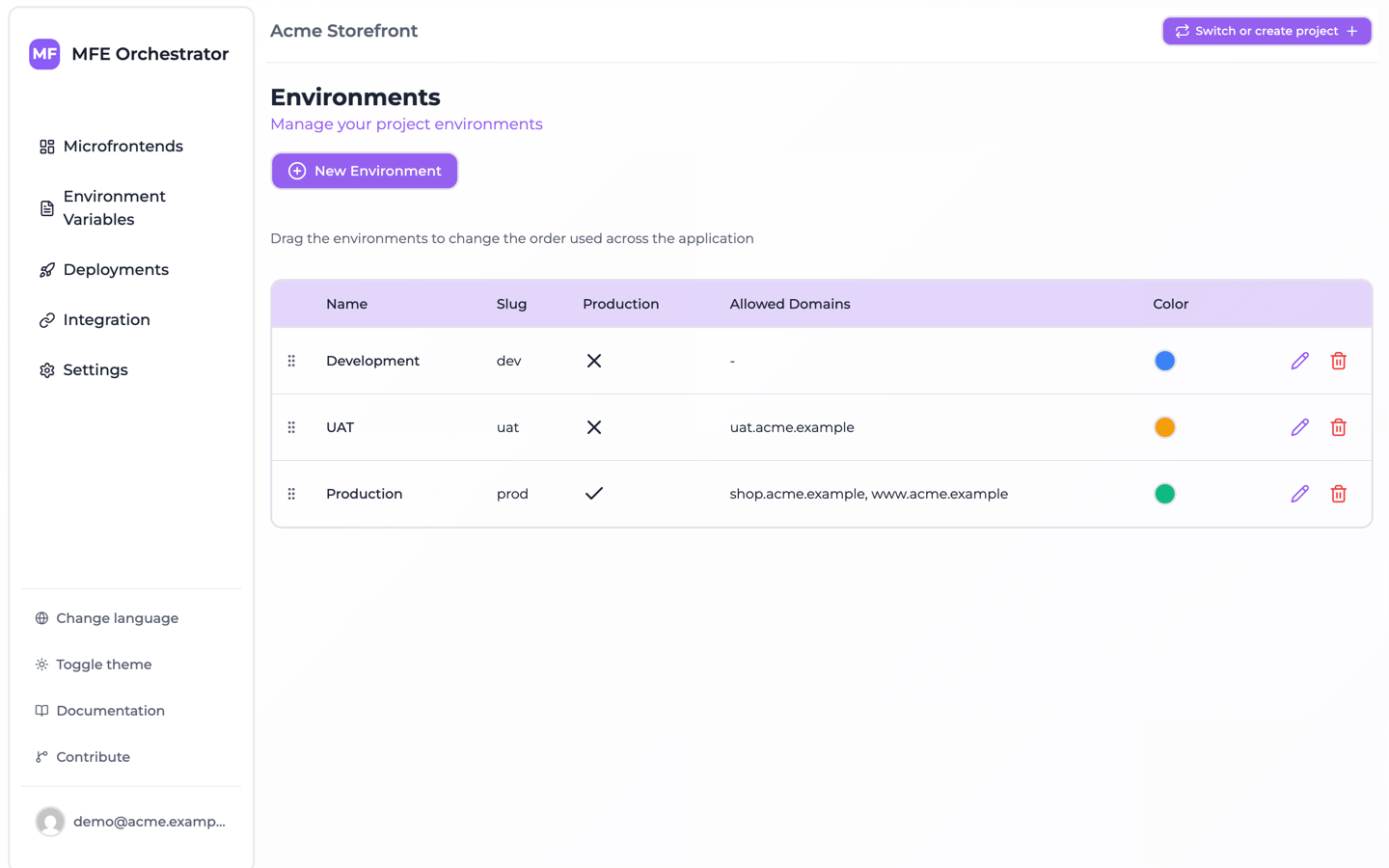
When you set up a project through the wizard you are offered a set of default environments to start from, and you can add your own alongside them.
:::caution Slugs are public
The environment slug appears in serve URLs such as
<API_BASE>/serve/all/<projectId>/<environmentSlug>. The console will not let you rename it — the
field is disabled when you edit an existing environment — precisely because renaming it breaks any
consumer using that form of the URL. PUT /api/environments/:id does accept a new slug, so through
the API the breakage is yours to manage.
:::
The environment selector
Most pages in the console are scoped to one environment, chosen from the selector in the page header. Environment Variables, Deployments and Integration all follow it — if you are wondering why a page shows nothing, check which environment is selected.
The order of environments in the selector is configurable, so you can list them in the order they appear in your release flow rather than alphabetically.
What is environment-specific and what is not
This distinction matters, and it is not obvious at first:
| Object | Scope |
|---|---|
| Microfrontends | Project — one definition, shared by all environments |
| Environment variables | Environment |
| Deployments | Environment — each has its own numbering and history |
| Storages / buckets | Project |
| Code repositories | Project |
| API keys | Project |
| Members | Project |
So a microfrontend exists once, but the version that is live is a property of each environment's active deployment. That is the mechanism by which one definition serves many stages.
Deleting an environment
Deleting an environment removes the environment itself and nothing else. A confirmation dialog names the environment you are about to delete — you do not have to type the name — and there is no undo.
The delete does not cascade, and no hook on the model makes it:
| Object | What happens to it |
|---|---|
| Deployments of that environment | Left in the database, still pointing at the id of the deleted environment |
| Variables of that environment | Left in the database, still pointing at the id of the deleted environment |
In practice those rows are orphaned rather than deleted. Nothing serves them any more, since every serve endpoint resolves an environment first, and nothing in the console lists them, since every page that would starts from the environments of the project. They do still occupy the database, and recreating an environment with the same slug does not adopt them — a new environment gets a new id.
Where to go next
- Allowed domains — how the platform resolves an environment from a browser request
- Environment variables — per-environment runtime configuration
- Deployments — activating configuration in an environment