Runtime environment variables
Environment variables in MFE Orchestrator are runtime configuration: key/value pairs
scoped to an environment, read by the browser after the bundle has loaded.
:::info Not to be confused with… These are the variables of your application. The variables that configure the MFE Orchestrator container itself are documented under Self Hosting → Environment Variables. :::
Why runtime and not build time
A variable baked in at build time (import.meta.env.VITE_API_URL, process.env.API_URL) makes
the artifact environment-specific. Promoting a build from UAT to production then means rebuilding
it, which means the thing you tested is not the thing you shipped.
Serving the values at runtime instead means one artifact travels through every stage, and the stage supplies its own configuration:
        one build of catalog@1.4.0
                   │
    ┌──────────────┼──────────────┐
    ▼              ▼              ▼
   dev            uat            prod
API_URL=…dev   API_URL=…uat   API_URL=…com
Managing variables
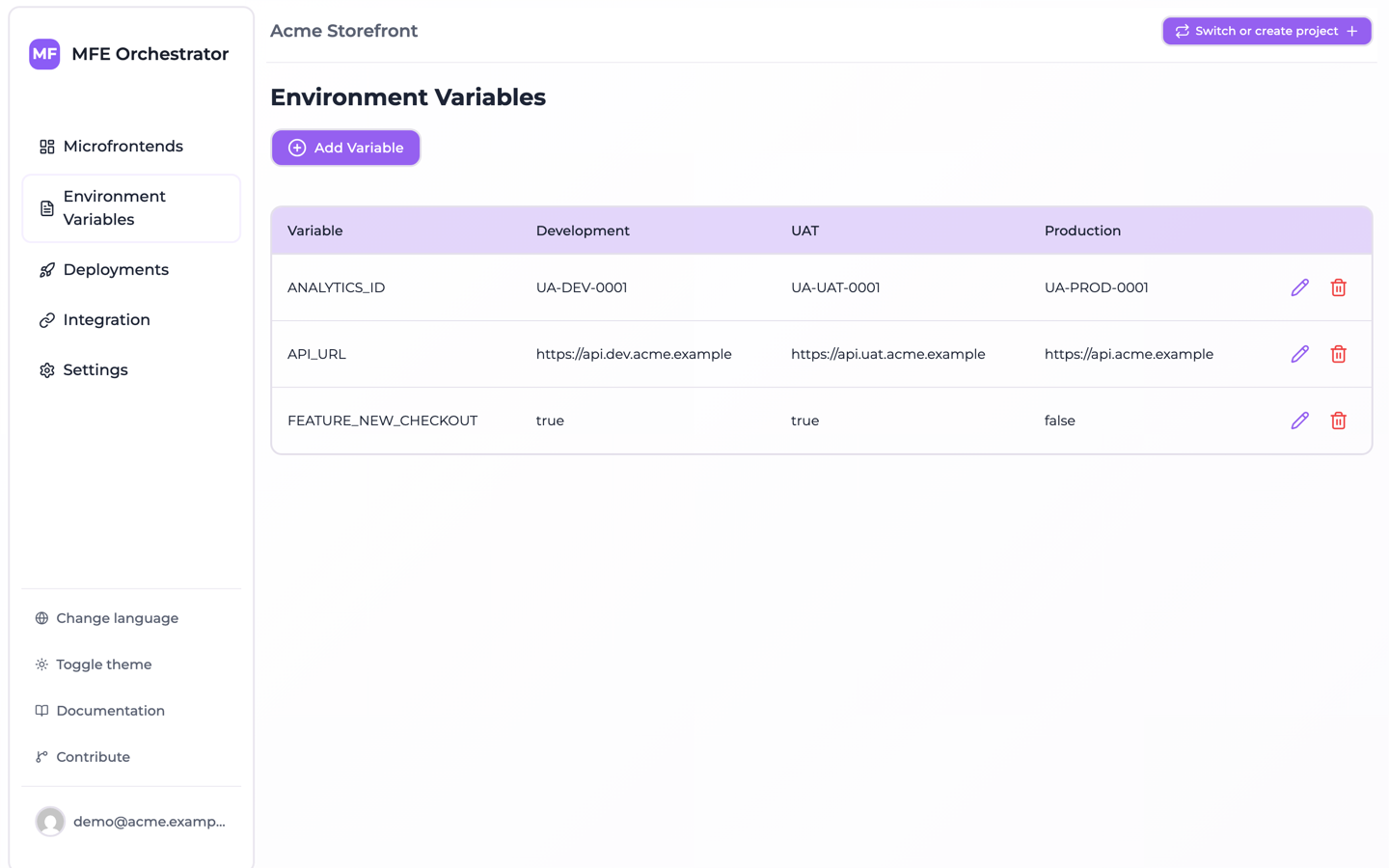
Open Environment Variables in the sidebar and use Add Variable. Each variable is a key
with one value per environment; keys are unique per environment.
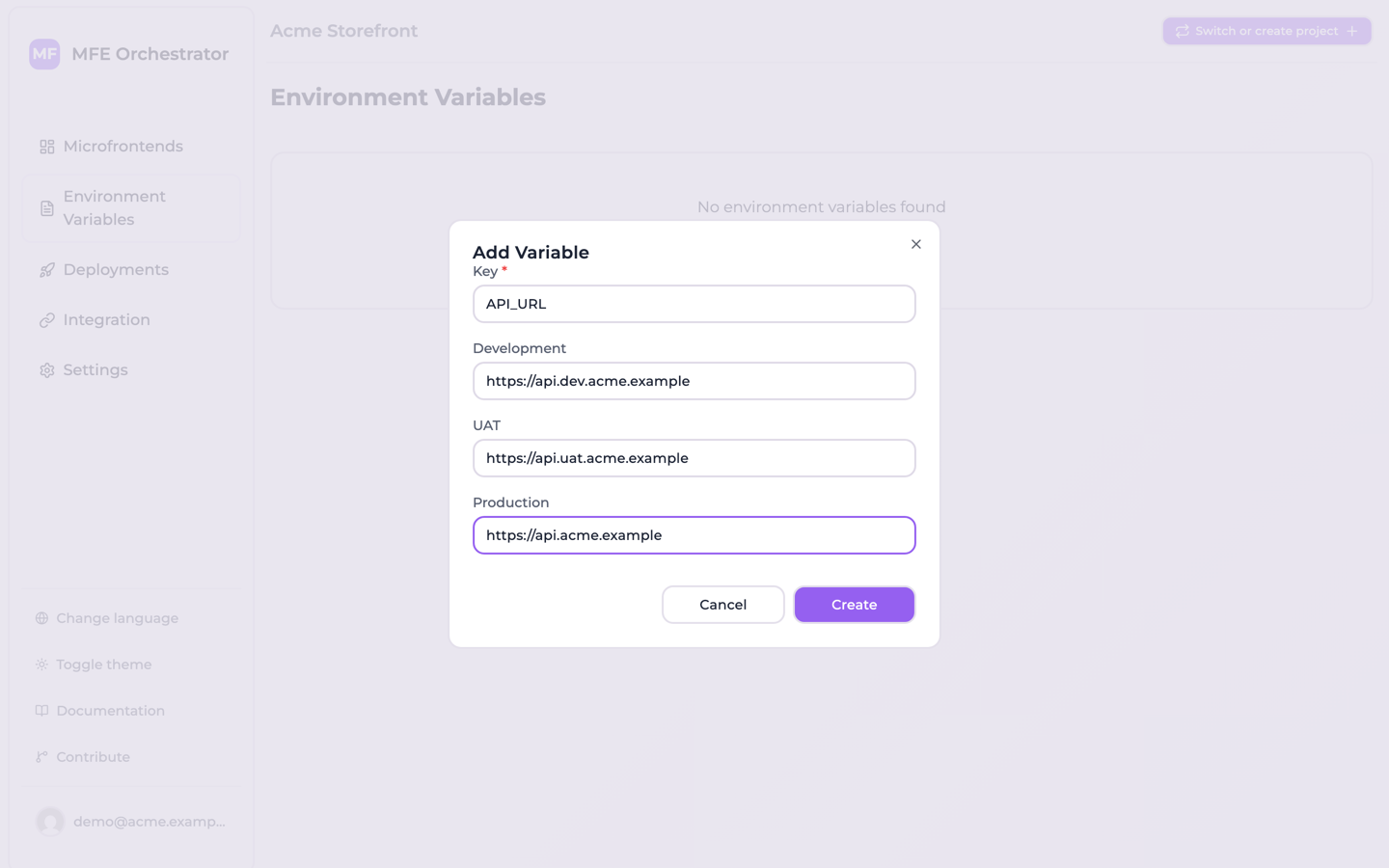
The dialog asks for the key once and then for its value in each environment, which is the shape
you almost always want — the same key with a different value per stage. Every environment has to get
a value: value is a required field on the model, so an empty box is rejected, and the values of all
environments are written in one batch — so a single empty box fails the whole variable rather than
creating it without that environment. The dialog validates nothing and starts with an empty box for
each environment, so pressing Create with one left blank returns a validation error and stores
nothing.
:::note Leaving a variable out of one environment
There is no way to do this from the console. The creation endpoint, though, writes only the
environments you send it: POST /api/global-variables, with the project in the project-id header
and a values array carrying no entry for one environment, creates the variable in every other
environment and leaves that one without it. That is where the code reading it genuinely finds
undefined.
Editing afterwards will not fill the gap: the update endpoint only rewrites rows that already exist, and the console's delete removes the key from every environment at once. If the variable has to be present everywhere, give it an empty-ish value your code treats as off rather than trying to omit it. :::
:::caution Not a secret store Environment variables are served to the browser by a public, unauthenticated endpoint. Anyone who knows your project and environment id can read them. Never put API secrets, private keys, database credentials or tokens here. Use them for public configuration only: API base URLs, feature flags, tracking ids, public keys. :::
Reading them in your application
Variables are exposed in two forms. The full details, including examples, are in Runtime configuration; in short:
As a script that populates window.globalConfig — add it to your index.html before your
bundle:
<script src="<API_BASE>/serve/global-variables/auto/<projectId>/index.js"></script>
const apiUrl = window.globalConfig?.API_URL
As JSON, if you prefer to fetch them yourself:
const vars = await fetch('<API_BASE>/serve/global-variables/auto/<projectId>')
  .then(r => r.json())
Neither address names an environment: the platform resolves it from the domain the page is
served on, so one index.html covers every stage. The console's
Integration → Environment variables tab shows both snippets with your project id already
filled in.
Variables and deployments
Like everything else, variables are captured in the deployment snapshot. Adding or changing a variable does not affect a running environment until you deploy.
This is deliberate: it means a configuration change is as auditable and as reversible as a code change. Rolling back a deployment rolls back its variables along with its versions.
If you have changed a variable and your application still reads the old value, check that you have deployed. Both variables endpoints above answer from the active deployment of the resolved environment, never from the current draft configuration.
That is a property of the variables endpoints, not of the serve API as a whole: the routes that stream microfrontend files resolve the deployment differently and can disagree with the active one after a rollback — see Rollback and redeploy.