Allowed domains and environment resolution
Allowed Domains is the least obvious field on an environment, and the one that unlocks the cleanest integration. It lets MFE Orchestrator work out which environment a browser request belongs to without the URL saying so.
The problem it solves
Your host application needs to load remotes. The straightforward way is to build the environment into the URL:
https://api.example.com/serve/mfe/files/<projectId>/prod/catalog/remoteEntry.js
                                                    ^^^^
That works, but it means the deployed artifact of your host differs per environment — the very thing microfrontend architectures are supposed to avoid. You end up with an environment-specific build, or with runtime string surgery in the host.
How it works
Instead, register the domains each environment is served from:
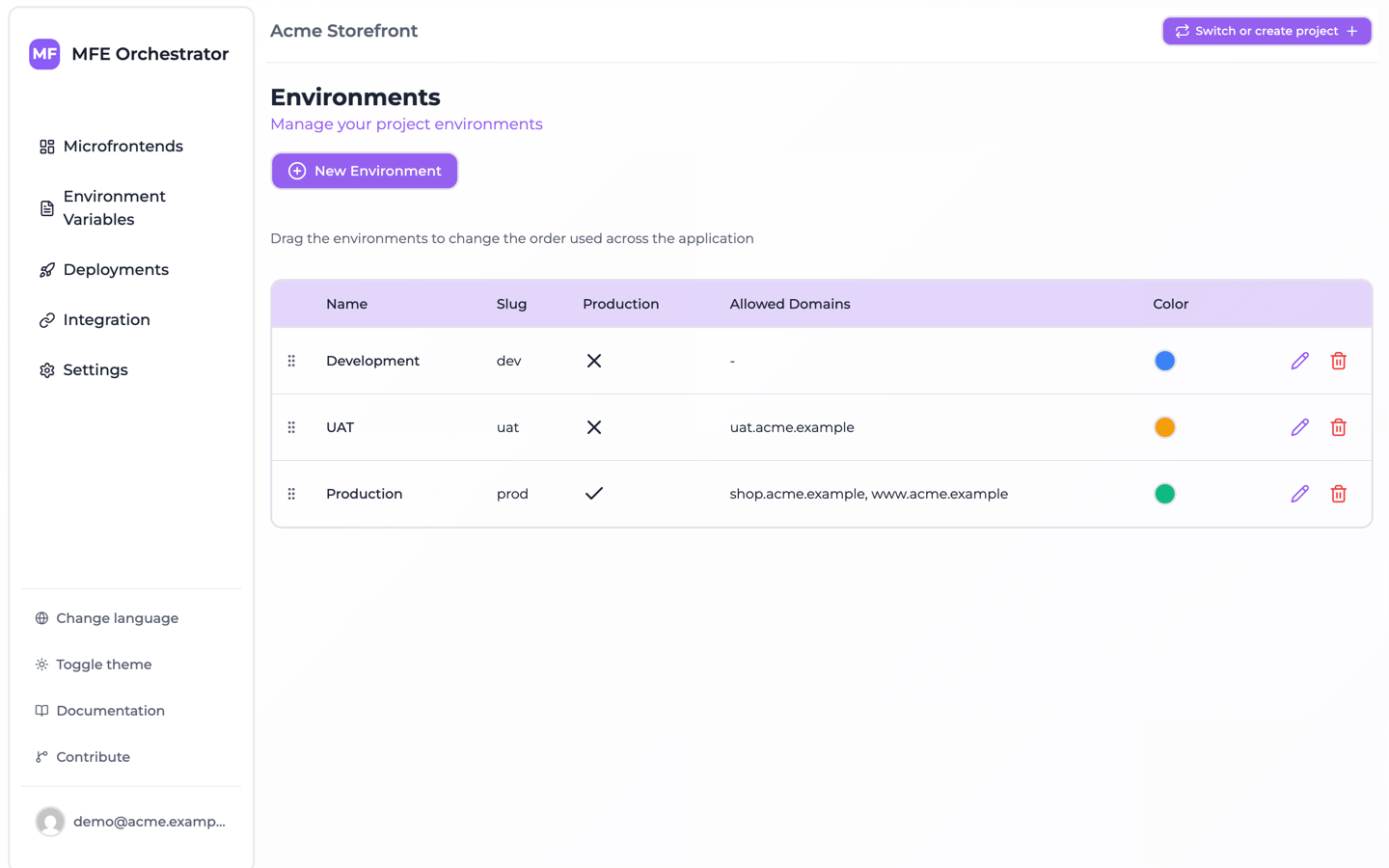
| Environment | Allowed Domains |
|---|---|
| Development | localhost, dev.example.com |
| UAT | uat.example.com |
| Production | www.example.com |
Production registers www.example.com and not the bare example.com on purpose: matching is a
substring test, and a bare apex domain is contained in every subdomain of it registered on another
stage. Overlapping domains explains what that costs.
Then use the environment-less form of the URL:
<API_BASE>/serve/mfe/files/auto/<projectId>/<microfrontendSlug>/<entryPoint>
When that request arrives, MFE Orchestrator reads the browser's Referer header and matches it
against the registered domains to find the environment, then answers from that environment's
active deployment.
One artifact, every stage. The host built once and deployed to uat.example.com gets UAT
remotes; the identical artifact on www.example.com gets production remotes.
The same mechanism is what makes environment optional in the
client SDK: a configure() call without a slug asks the serve API
in this environment-less form, and the answer comes from whichever environment claims the domain the
page is on.
Adding domains
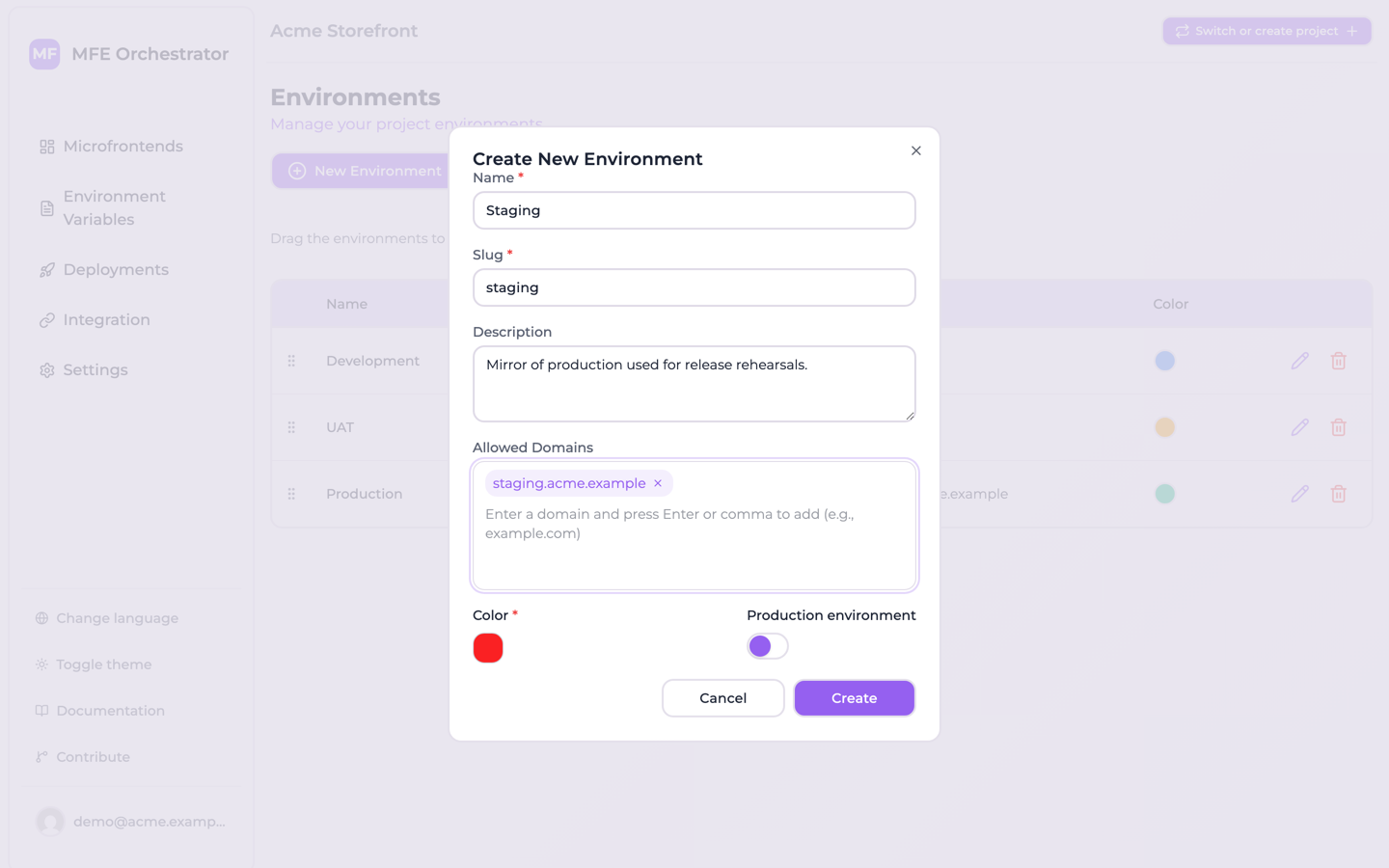
Open the environment and type a domain into Allowed Domains, pressing Enter or , after
each one. Add every hostname the environment is genuinely reachable at, including www
variants and any vanity domains. Then read Overlapping domains below,
because what you register on one stage constrains what the others may hold.
The domains of every environment are visible together on the Environments page, which is the quickest way to spot a stage that is still missing one:
Overlapping domains
:::caution No domain may be a substring of a domain on another environment Matching is not an equality test. The domain the request comes from is compiled into a case-insensitive regular expression, and each registered domain is tested against it with no anchors — so an environment matches when one of its registered domains contains the calling one.
A request from example.com therefore matches a Development environment holding dev.example.com
just as well as a Production environment holding example.com. The lookup takes the first document
the database returns and applies no ordering, so which of the two answers is arbitrary — and because
the preset environment sets create Development before Production, the arbitrary answer tends in
practice to be the development one. Production traffic answered by the development deployment is the
failure this produces, and nothing raises an error or logs a warning when it happens.
So the rule is stronger than one environment per domain: no domain registered on one environment
may be a substring of a domain registered on another. Two hostnames on the same environment
never fight each other — either match resolves to the same place. The dangerous shape is a bare apex
domain on one stage while a subdomain of it lives on another: example.com on Production against
dev.example.com on Development. Register a subdomain for production too (www.example.com, with
the apex redirecting to it) and no stage contains another.
:::
Note which way the containment runs: it is the caller that has to be contained. A request from
dev.example.com will not match a registered example.com, which is why the stage with the longer
hostname is never the one that gets hijacked.
Which endpoints use it
Domain resolution applies to the endpoints that do not name an environment:
| Endpoint | Resolution |
|---|---|
/serve/all/auto/:projectId | From Referer (falls back to the request host) |
/serve/global-variables/auto/:projectId | From Referer (falls back to the request host) |
/serve/global-variables/auto/:projectId/index.js | From Referer (falls back to the request host) |
/serve/mfe/config/auto/:projectId/:mfeSlug | From Referer (falls back to the request host) |
/serve/mfe/files/auto/:projectId/:mfeSlug/* | From Referer (falls back to the request host) |
/serve/mfe/files/:mfeId/* | From Referer — required |
/serve/mfe/config/:mfeId | From Referer — required |
Endpoints that name the environment explicitly — anything with :environmentId or
:environmentSlug in the path — ignore the domain list.
The first three are what the client SDK uses when configure() is
called without an environment, which is the point at which the domain list stops being a
convenience for asset URLs and becomes the thing your whole host depends on to find its remotes.
Keep it accurate: registering the domain is part of standing up a new stage, not an afterthought.
Troubleshooting
"Referer not found"
The request arrived without a Referer header. This happens with curl unless you pass one, and
with strict referrer policies. Either send a Referer, or switch to an endpoint that names the
environment explicitly.
curl -H "Referer: https://www.example.com" \
  "<API_BASE>/serve/mfe/files/auto/<projectId>/catalog/remoteEntry.js"
"Environment not found"
No environment of this project had a registered domain matching the request. Check for typos, and check the domain is registered at all.
Note what this error does not cover. When more than one environment matches, nothing is raised: one of them is picked and the response looks entirely normal. An ambiguous domain list fails silently, not loudly — see Overlapping domains.
Local development
Add localhost to your development environment. A port does not get in the way, though not through
the origin: the request is tried as four candidates in turn — the raw Referer, its origin, its host
and its hostname — and for http://localhost:3000/ the origin (http://localhost:3000) and the
host (localhost:3000) both still carry the port. It is the hostname candidate, localhost, that
matches a bare localhost entry.
Matching is case-insensitive, and the request is tried as its raw Referer, its origin, its host and
its hostname. Register bare hostnames (example.com) rather than full URLs: because the registered
value is the one that has to contain the caller, a longer entry matches more callers rather than
fewer.