Deployments overview
A deployment is an immutable snapshot of everything an environment needs, taken at the moment you press Deploy and activated for your users.
This is the mechanism that makes the rest of the platform safe to use. Understanding it is worth five minutes.
What gets captured
When you deploy an environment, MFE Orchestrator copies into the snapshot:
- Every microfrontend in the project — its selected version, hosting configuration, entry point, canary settings and relation graph
- Every environment variable of that environment
- Every storage configuration of the project
The snapshot is a copy, not a set of references. Editing a microfrontend afterwards does not reach back into it.
Editing is not deploying
The single most important consequence:
Changes you make in the console — a version bump, a new variable, a rewired remote, a bucket swap — are drafts. They sit in the project configuration and affect nothing until you deploy the environment you want them in.
This is why the same project can serve 1.2.0 to production while you stage 1.4.0 for UAT: the
production snapshot was taken when 1.2.0 was selected, and it does not change under you.
Creating a deployment
Open Deployments in the sidebar, select an environment in the selector, and press Deploy.
The action applies to the environment currently selected — moving dev and uat together is two
deployments, one after the other. (The API behind it, POST /api/deployment, takes a list of
environment ids and creates them in one transaction.)
Each deployment is numbered per environment: #1, #2, #3 … The new deployment becomes
active, and any previously active deployment for that environment is deactivated. Exactly one
deployment is active per environment at any moment. The endpoints that answer what should I load
resolve against that flag; the ones that stream the files themselves resolve the deployment
differently, which only diverges after a rollback — see
Serving from the active deployment below.
One thing travels with the new deployment without being part of your draft configuration: the canary enrolment of the deployment being replaced is copied into the new one, inside the same transaction, so deploying never silently drops the users you enrolled. See canary users.
Reading the deployments page
The page has two parts:
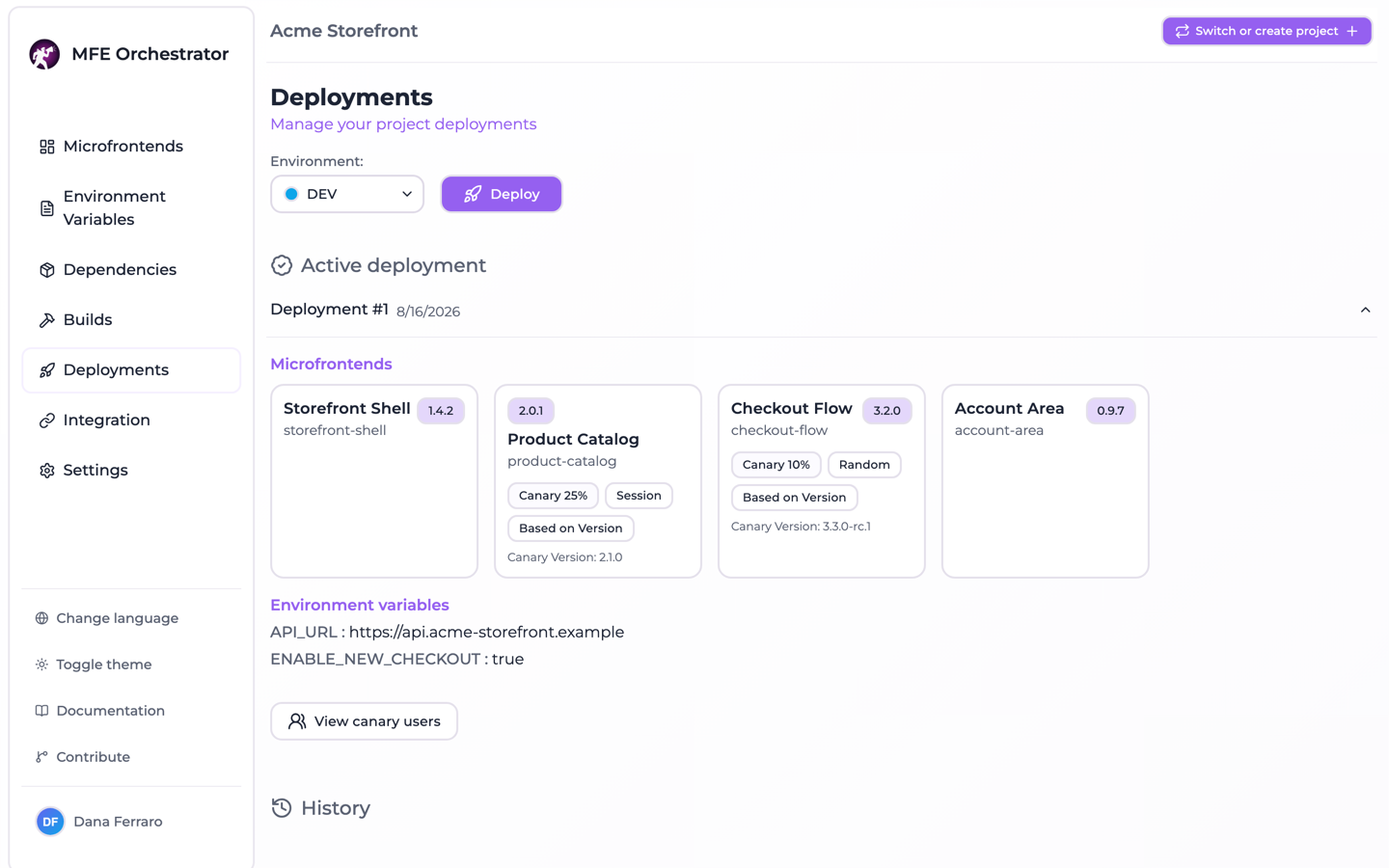
Active deployment — the snapshot currently serving this environment, expandable to show:
- Microfrontends — one card each, with the version frozen in this snapshot and, when a canary is configured, the share of traffic it takes — or Enrolled users, for a User canary, which splits nothing — next to its canary type, its deployment type and its target version or URL
- Environment variables — the values frozen in this snapshot
- View canary users — the enrolment list of this deployment
History — every previous deployment of this environment, newest first, with the same detail plus a Redeploy action.
Inspecting an old deployment answers "what exactly was live last Tuesday?" without archaeology through Git.
:::tip Which version is where The deployments page answers the question one environment at a time. For the whole project at a glance — every microfrontend, the version each environment serves, and whether its last CI run passed — use Build status. :::
Promoting between environments
There is no dedicated "promote" button, because promotion is just a deployment:
- Note the version live in the source environment (visible in its active deployment).
- Select that version on the microfrontend.
- Deploy the target environment.
The artifact is not rebuilt or copied — both environments point at the same stored files. What differs is the environment variables each snapshot carries, which is exactly the difference you want between stages.
Serving from the active deployment
Most of the public serve API resolves against the active deployment:
| Question from your app | Answered from |
|---|---|
| Which remotes do I load, and from where? | Active deployment's microfrontends |
| What is my runtime configuration? | Active deployment's variables |
| Give me this microfrontend's files | The newest deployment of the environment, which is not always the active one |
The third row is not a slip. The queries behind the manifest, the per-microfrontend configuration
and the variables filter on the active flag. The three routes that stream files do not: each takes
the newest deployment of the environment, and they do not agree on what "newest" means.
| File route | Newest by | After a rollback |
|---|---|---|
/serve/mfe/files/:projectId/:envSlug/:mfeSlug/* | Deployment time | Follows the rollback |
/serve/mfe/files/auto/:projectId/:mfeSlug/* | Creation time | Does not follow the rollback |
/serve/mfe/files/:mfeId/* | Creation time | Does not follow the rollback |
A Deploy stamps both times at once, so as long as you only ever deploy forwards the newest deployment is the active one on either ordering and all three routes agree. A Redeploy bumps the deployment time only, which is where they part company — described in full, with the mitigation, in Rollback and redeploy. The routes themselves are listed in Serve API.
If an environment has never been deployed, these endpoints return an Active deployment not found error, and the console's Integration page tells you to deploy first.
Where to go next
- Rollback and redeploy
- Build status — what is built, and what each environment serves
- Integration — consuming a deployment from your application